2024
·
Enterprise
About
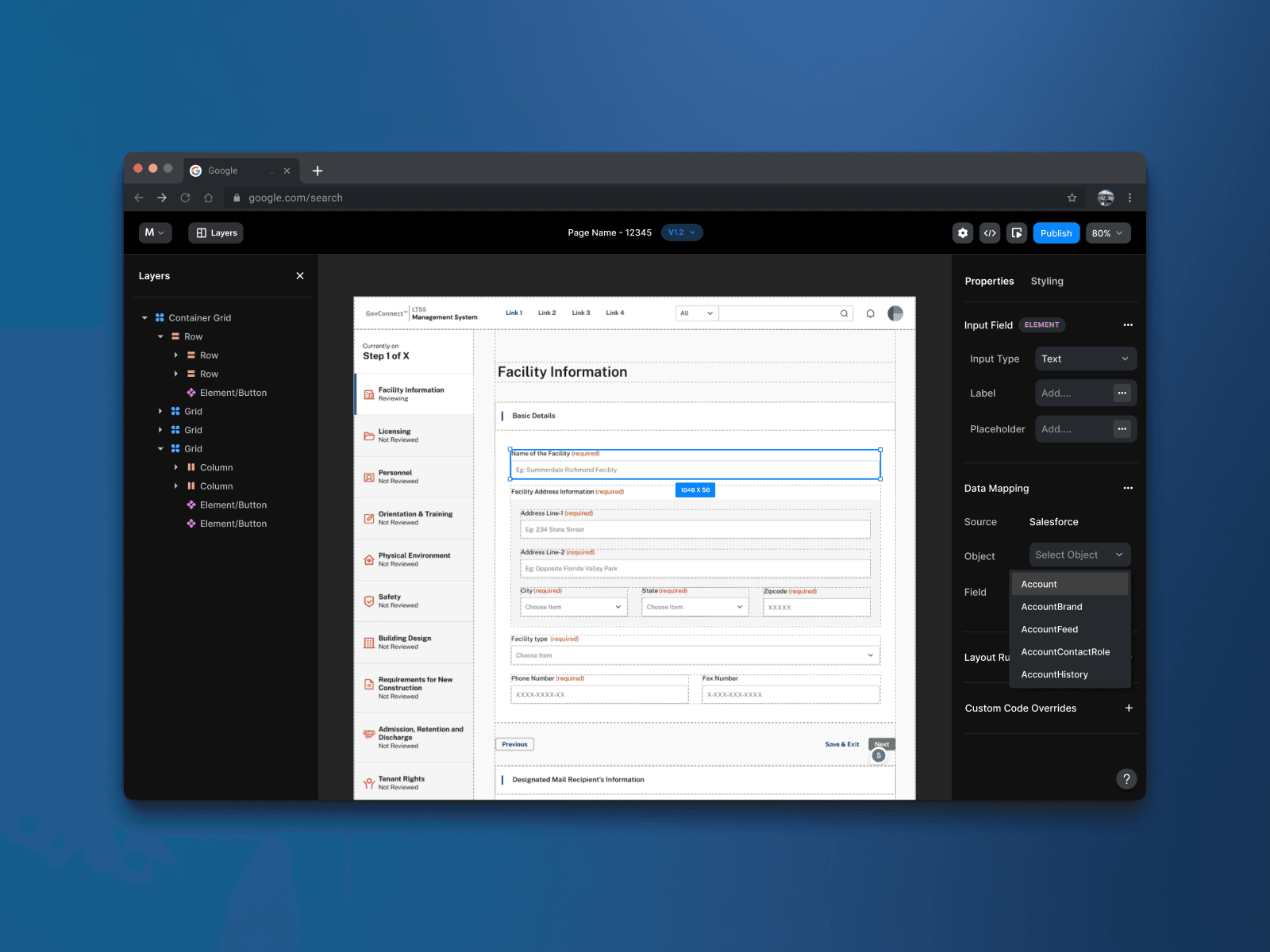
Mirage is a low-code, no-code page builder for Salesforce backend developers. It brings Figma screens, Salesforce data mapping, and Lightning deployment into one workflow. RFP prototyping was the first use case, with a longer-term ambition to support delivery on client projects.
Challenge
RFP teams needed working prototypes that stayed close to the design, on timelines that couldn’t accommodate a full frontend development cycle.
But the builder itself was getting in the way: developers struggled to understand the canvas, selections, and layout controls. The challenge was to make that workflow usable within the existing platform.
Outcome
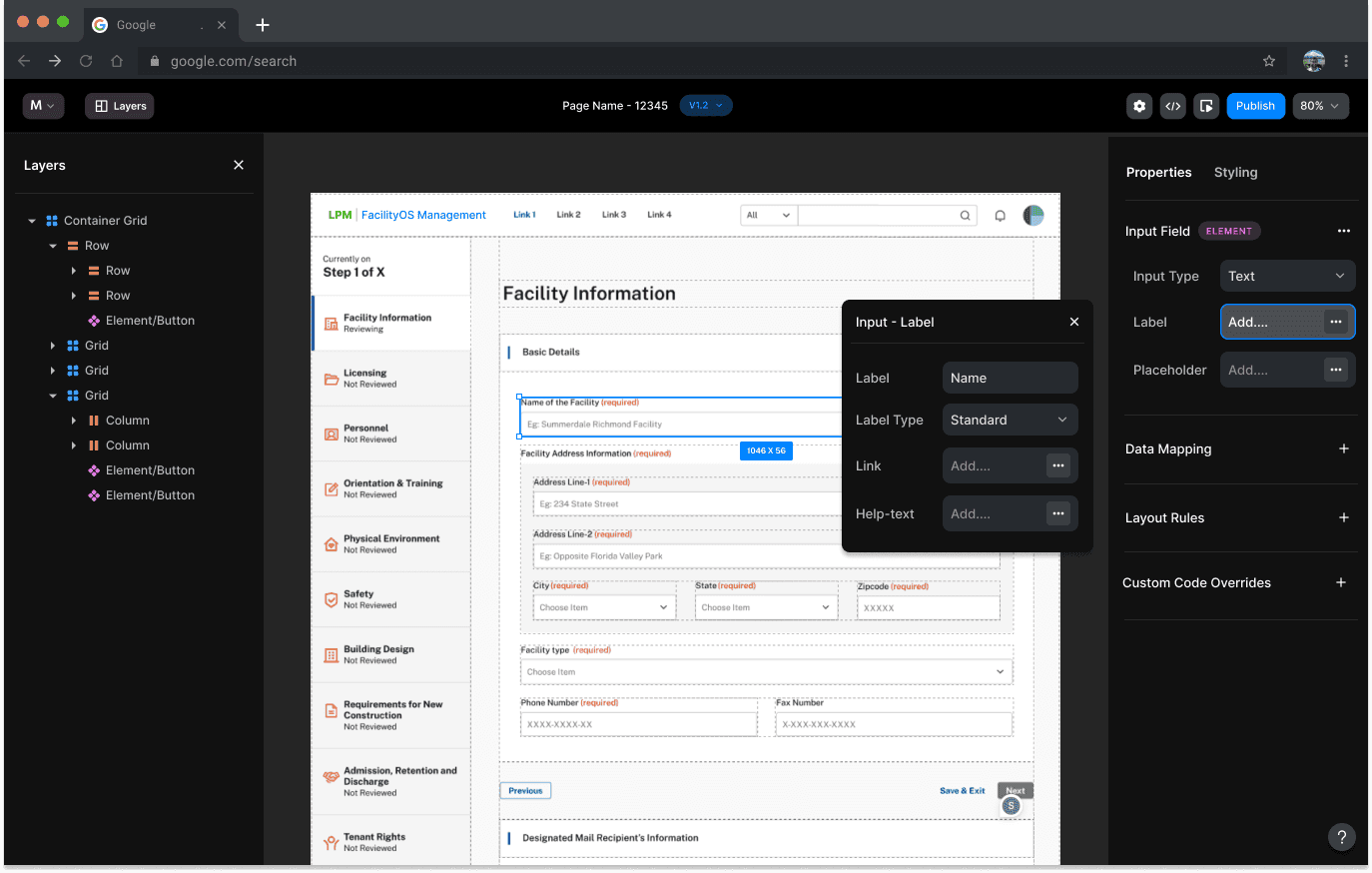
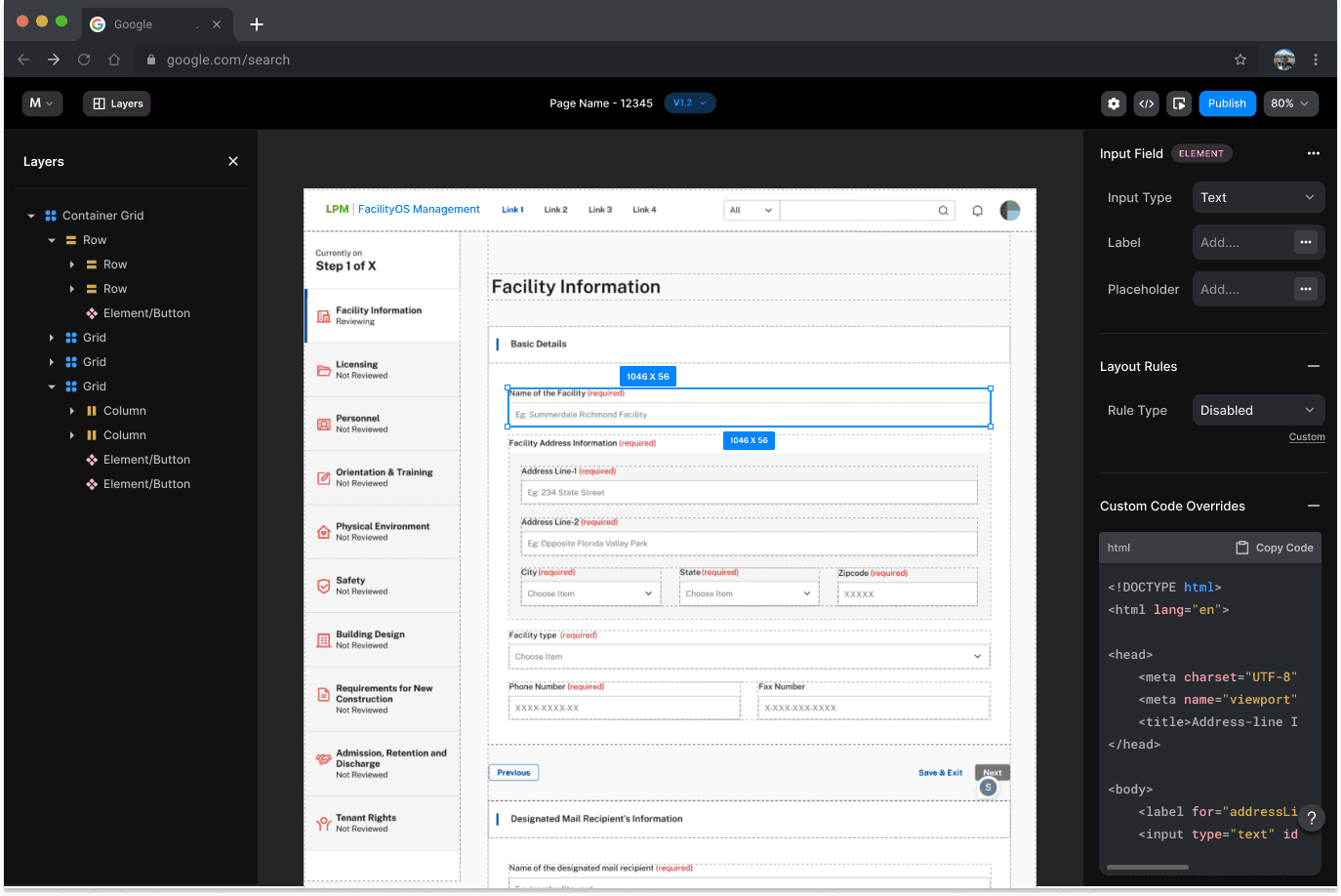
A redesigned builder that gives backend developers clearer control over turning a Figma screen into a working Salesforce page. Grid boundaries and selection states make the layout readable; direct controls show how adjustments affect the canvas.
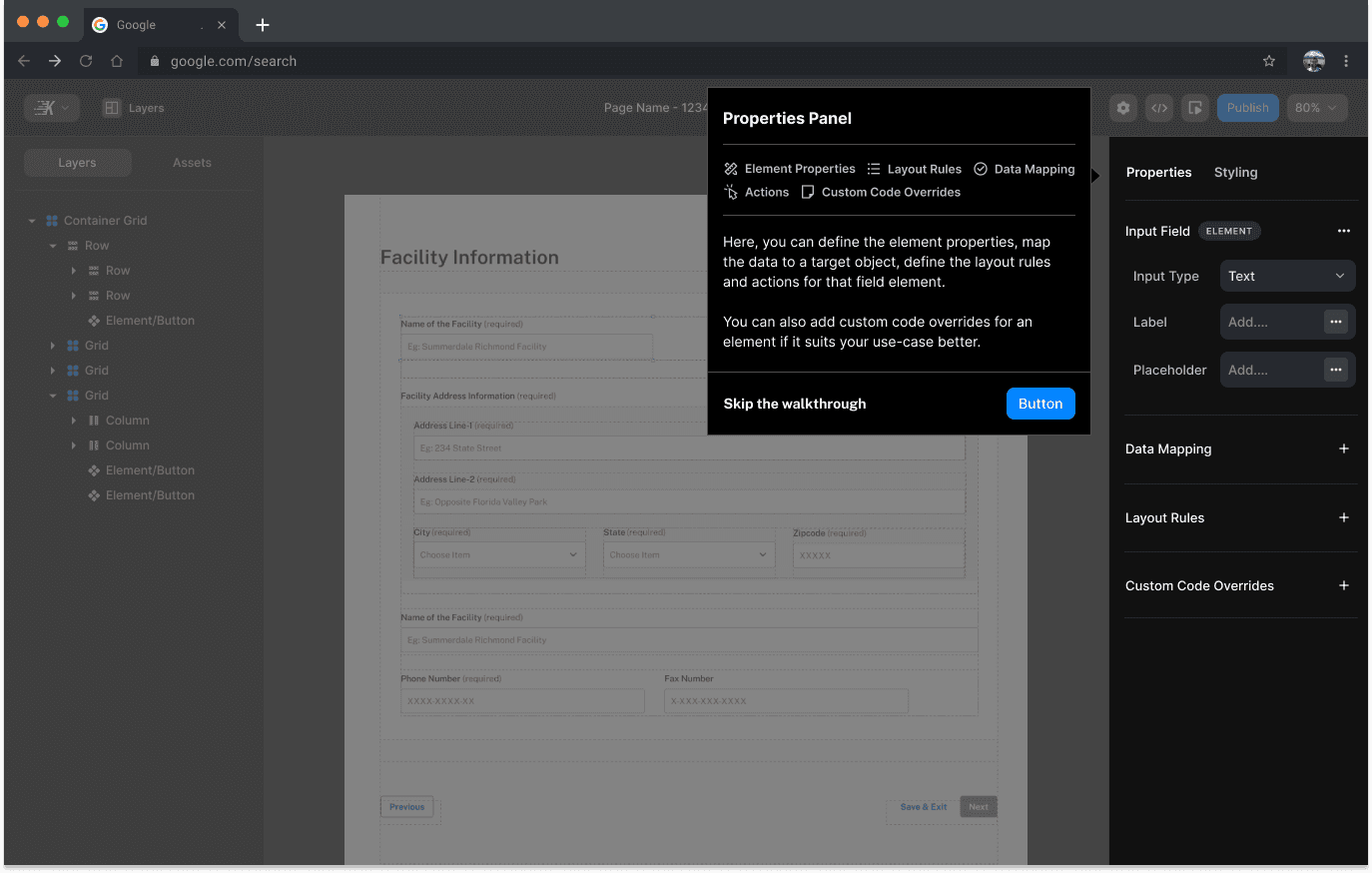
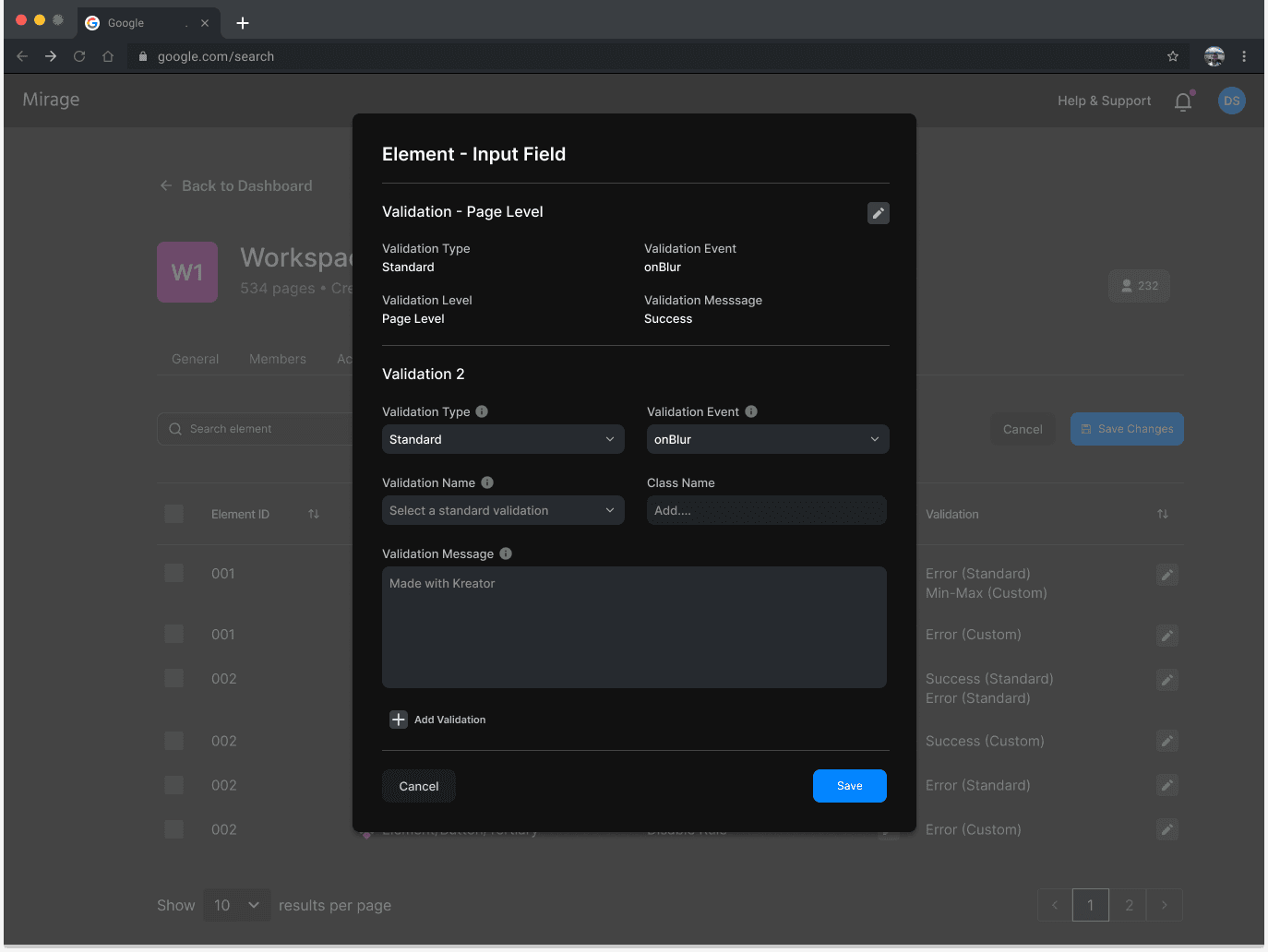
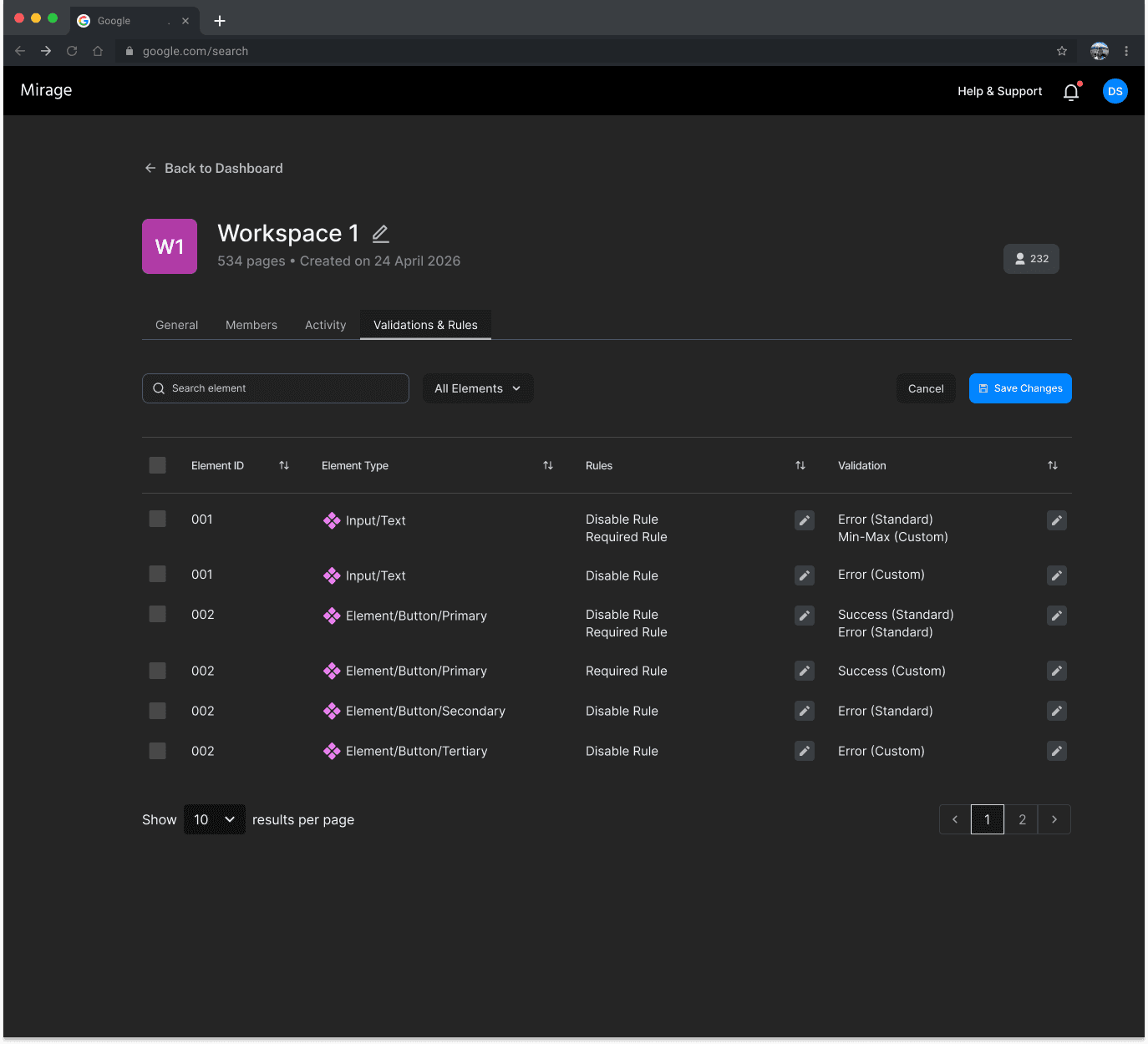
Data mapping, validation, layout rules, and code overrides sit together in the properties panel, connecting what the page looks like with how it works. The experience supports the product’s central promise: letting backend teams carry more of the work from design to deployment themselves, with room for frontend adjustments where needed.
Research & discovery
Extensive — and deliberately structured
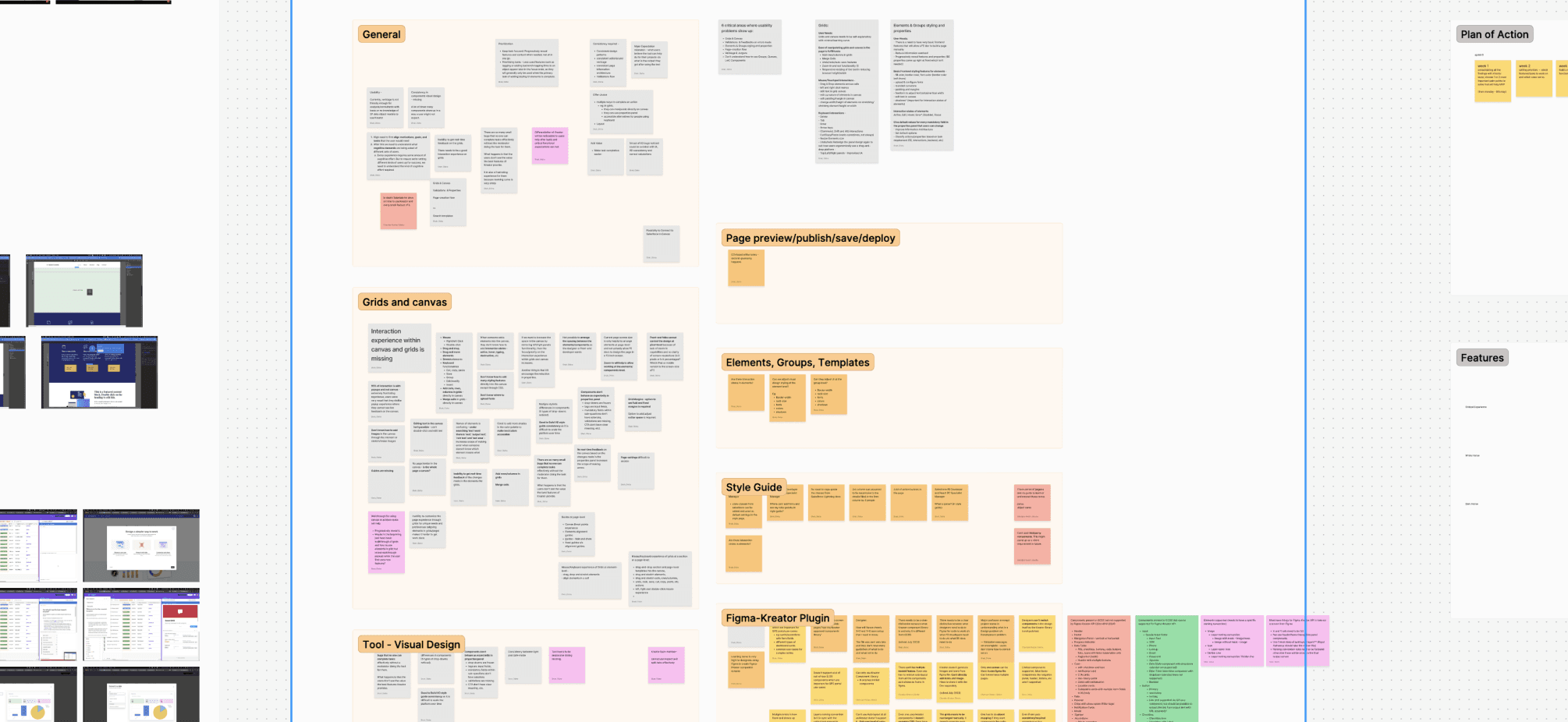
The research process covered heuristic evaluation, competitor mapping, and a usability study across 10 participants — a deliberate mix of Kreator-team and non-Kreator-team members, ranging from FE and BE developers to master specialists, DC Salesforce consultants, and a full-stack manager. We ran semi-structured interviews alongside closed tasks. Two user groups shaped everything: generalists (early-level to senior managers trained across multiple platforms) and specialists (senior consultants with deep SF expertise but limited frontend fluency).
The research also surfaced a longer-term ambition — the tool needed to be legible enough for PMs, business leads, and marketing teams, not just developers. Comparative analysis was done at a high level. What was deliberately deferred: user flow analysis, full IA analysis, complete journey mapping, and ideation. The heuristic evaluation focused on where visual design and element grouping created confusion; usability sessions confirmed where the canvas broke down hardest.
Brief constraint: no functional changes to the platform itself. The design question was — how do you improvise the user experience within what exists, and make the canvas feel genuinely usable without rewriting the backend?
What made this hard
The canvas was the core problem
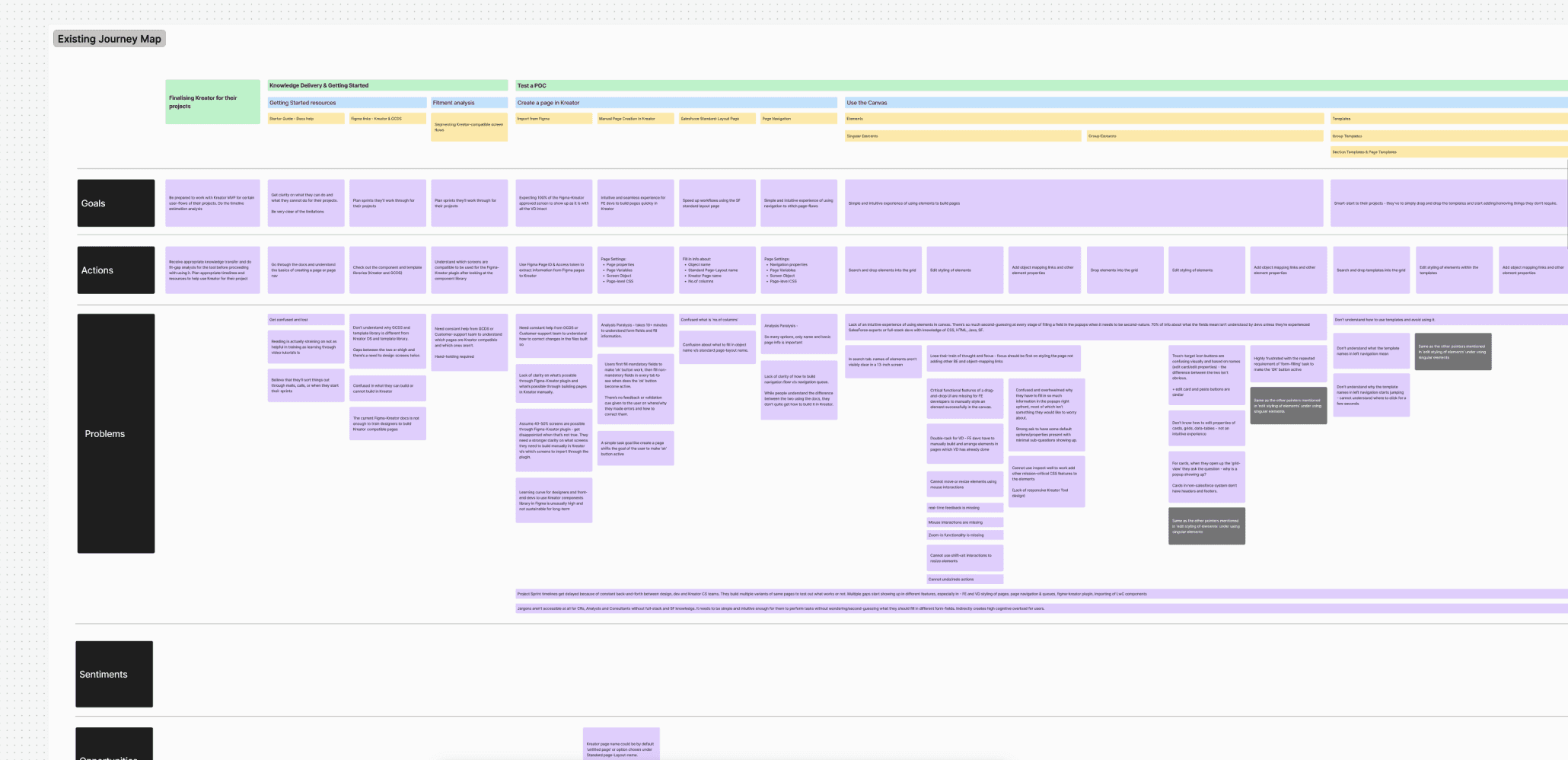
The existing canvas had no visible structure. Users couldn't see gutter widths. They couldn't tell whether they were selecting a container grid or part of one. Column resizing didn't exist. The grid anatomy — margins, gutters, columns, rows, modules — was present in the underlying system but completely invisible in the interface. Nearly every test participant misunderstood it.
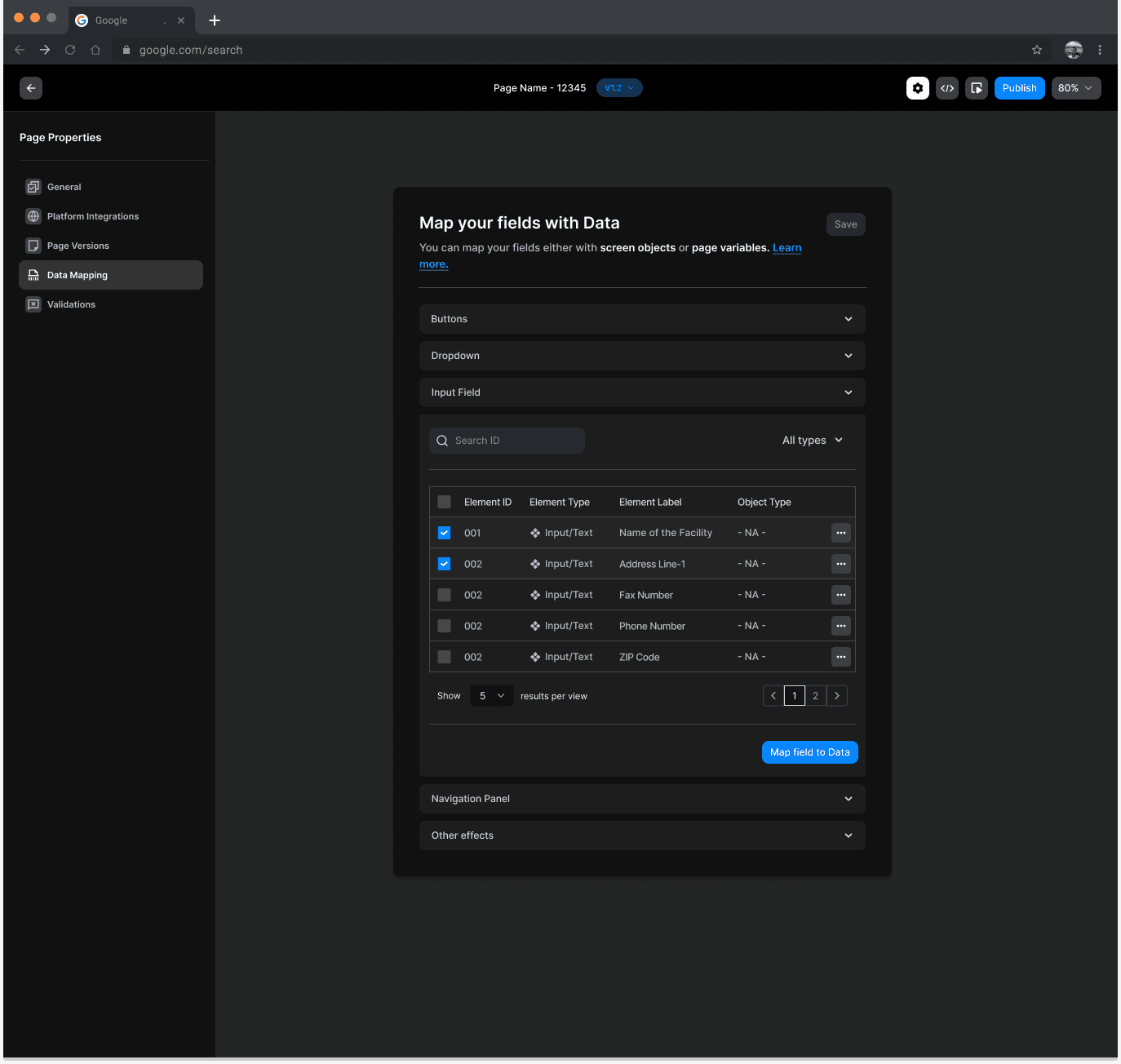
The properties panel also needed to surface element properties, Salesforce data mapping, layout rules, and custom code overrides — without overwhelming users who weren't Salesforce-native. And the IA and terminology throughout the tool was written for SF specialists, which was a blocker for broader adoption
Design decisions
What we built and why
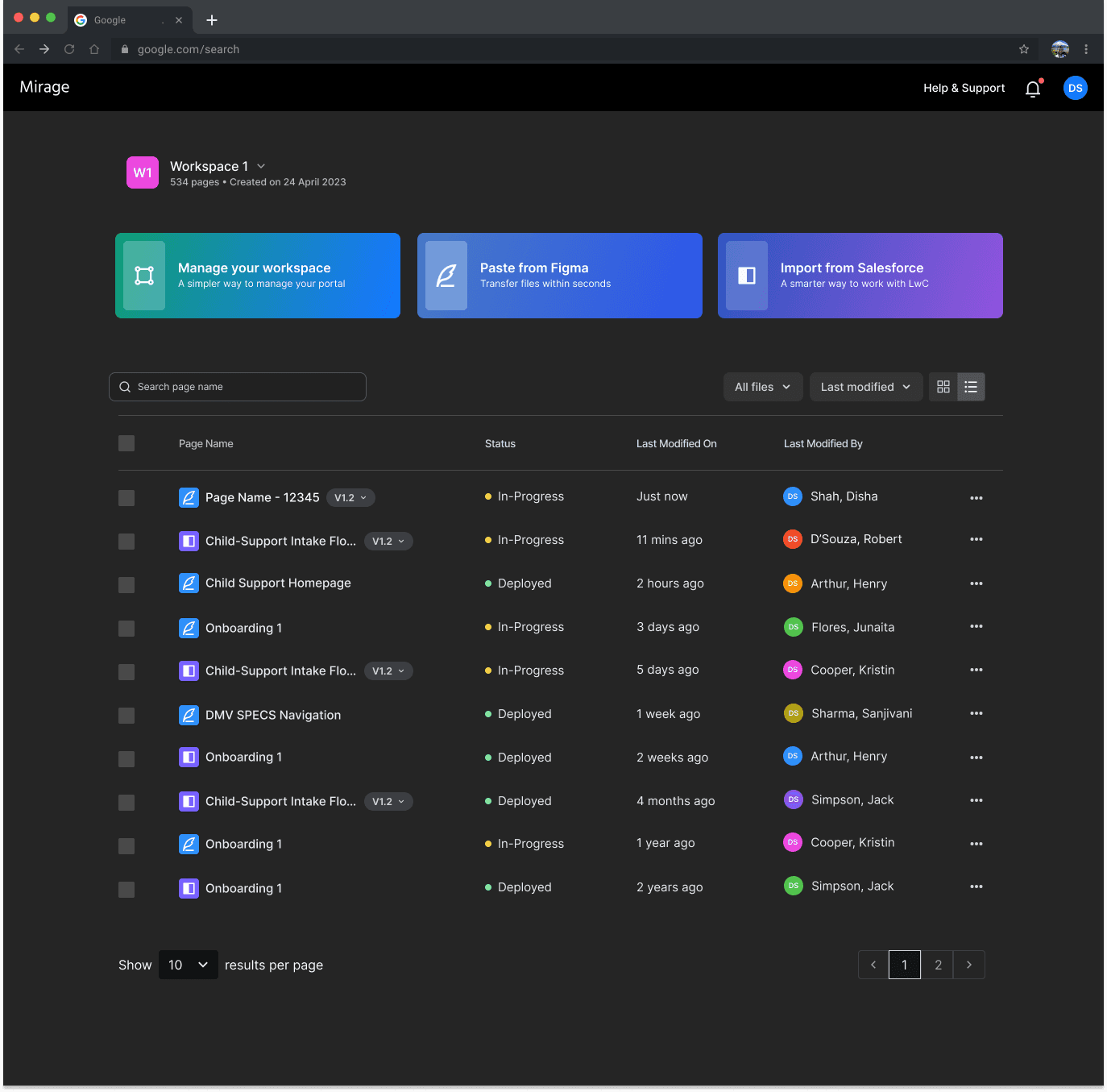
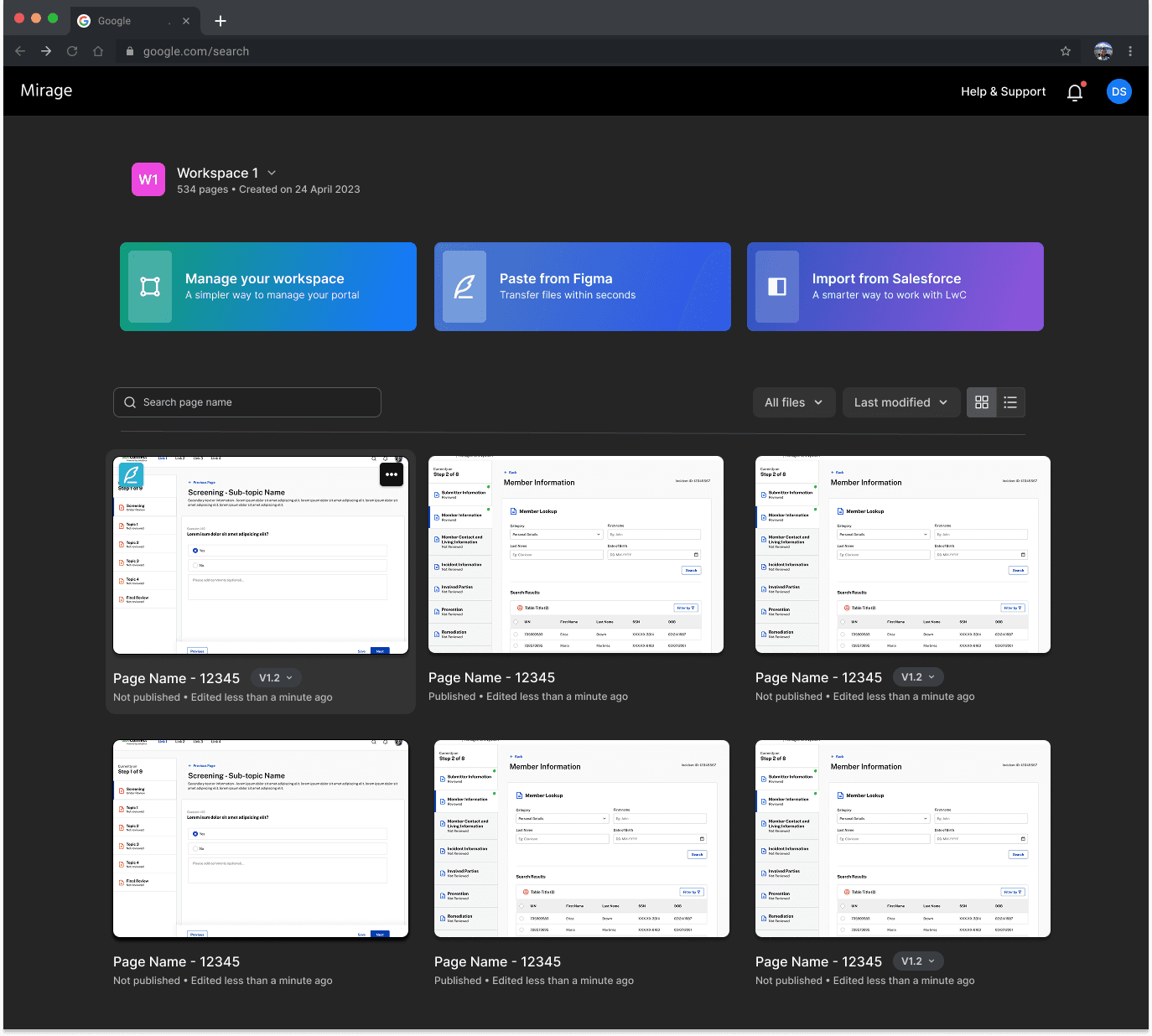
01Grid anatomy made visible. Hover states on grid boundaries, drag handles, gutter width previews on hover. An extension symbol lets users click and drag to resize columns with real-time canvas feedback. None of this existed before.02Container vs. partial selection states. Distinct visual feedback depending on whether the full container grid is selected or parts of independent grids. The single most-cited confusion in usability testing — resolved through clear selection state differentiation and boundary highlighting.03Properties panel: everything in one place. Input type, label, placeholder, Salesforce object and field mapping, layout rules, validation (standard and custom), and a Custom Code Overrides escape hatch for the ~10% of UI that can't be handled visually. No context-switching to another tool.04Normalized IA and terminology. Salesforce-specific jargon audited and rewritten throughout. The goal was legibility for backend devs who aren't Salesforce experts — and eventually for BAs and marketing teams. A deliberate audience-expansion decision, not just a copy fix.05Onboarding that doesn't block power users. A tooltip walkthrough covering the Properties Panel, Layout Rules, Data Mapping, Actions, and Custom Code Overrides — fully skippable. Useful for the first session, invisible after that.06Versioning and workspace management. Multiple root versions per page, status tracking, team assignment, list and grid views. MVP1 supports single-page export — folder-grouped projects are on the longer-term roadmap.
What's unique
Both sides of the gap, not just one
Most tools solve for one side — either a page builder disconnected from Figma, or a plugin that generates code but doesn't handle data. Mirage does both: a custom Figma-Mirage API handles design import at high fidelity, and the canvas handles the data side — field-level Salesforce object mapping, layout rules, validation, and deployment — all in one workflow.
The other distinction was audience design. This wasn't built for frontend developers. It was built for backend and full-stack devs — and deliberately structured so non-SF audiences could use it without an onboarding program. That required both IA work and a full terminology audit, not just UI decisions.
Working on something complex, ambitious, or hard to get right? I’d love to hear what you’re building.
Most of my work sits with teams solving complex problems — where design needs to hold up as products evolve and companies scale. If that’s what you’re working on, we’ll likely get along well.

Designing clarity into a new food business model — so the website sells without over-explaining
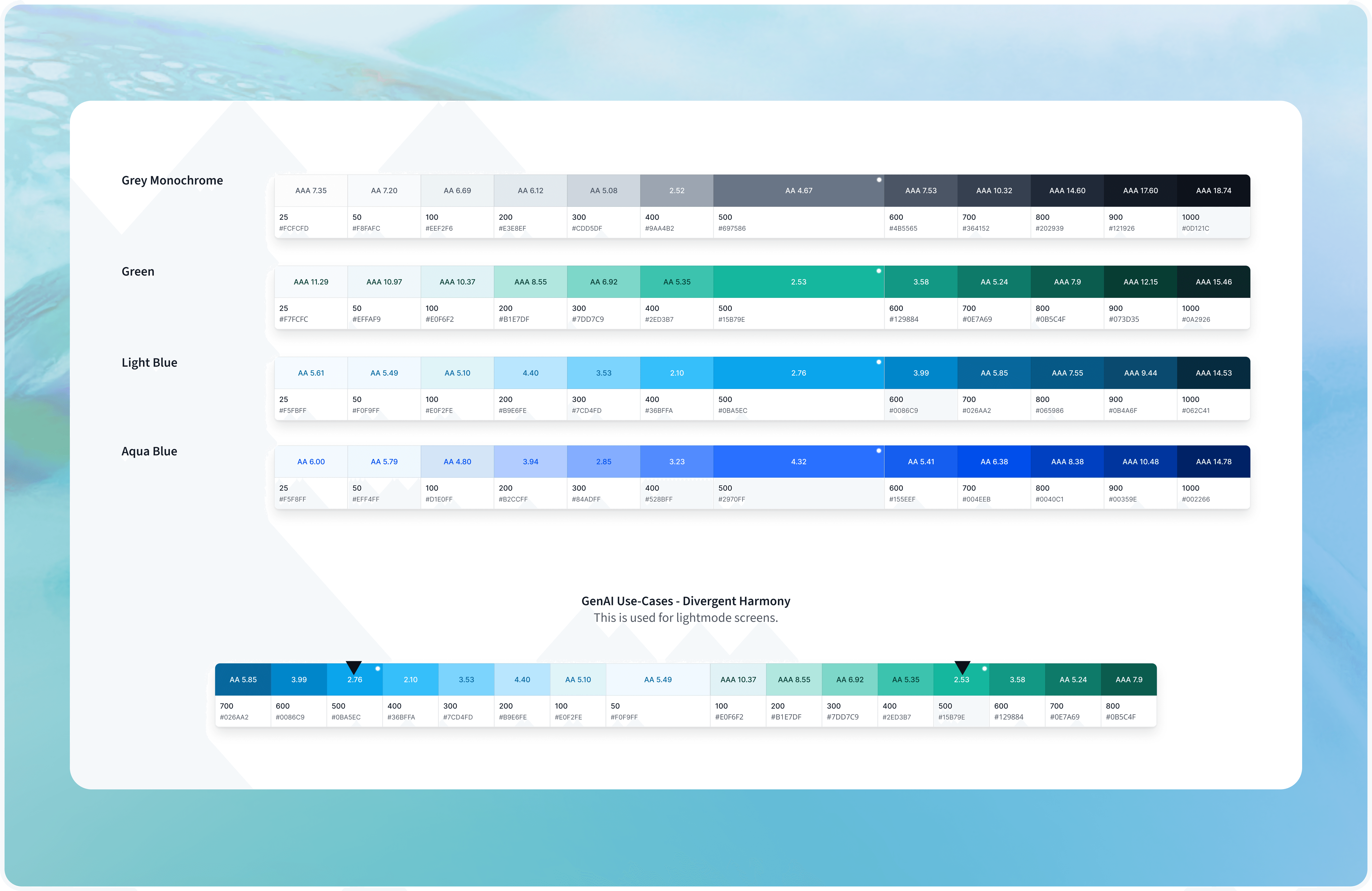
Building Enterprise-Scale Design Systems for Multiple Product Suites
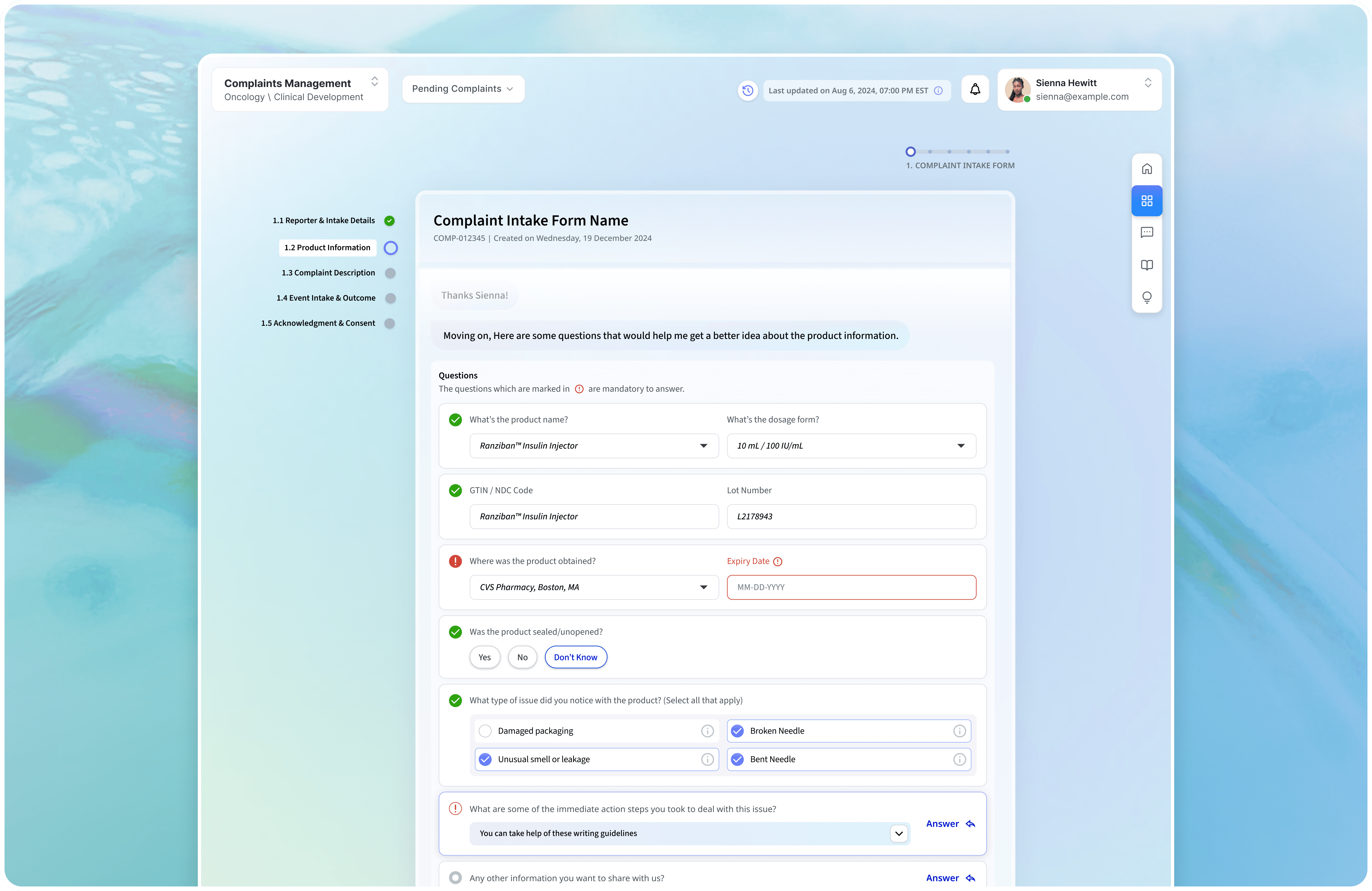
Building an enterprise complaints portal without sacrificing compliance or human judgment.

Making trading education feel credible in a category built on hype.